A workflow for reviewing agent code
I’ve been using two little shell functions to help me work with AI coding assistants: review_start and review_done. They let me do a full review pass in my editor, leave inline comments and fixes, and then hand the agent a commit containing just my feedback.
TL;DR
Add review_start and review_done to your ~/.bashrc (see below), then use this workflow:
# Have the agent implement feature XYZ
review_start "implemented XYZ"
# Review in your editor, making whatever changes you like
review_done
# Tell the agent to run `git show HEAD`. It will see just *your* changes.
The idea
review_start "implemented XYZ" does three things:
- commits outstanding changes on your current branch,
- creates a temporary review branch,
- resets that branch back one commit while keeping the changes in your working tree.
So the agent’s work is persisted as a commit, but in your editor it still looks like ordinary uncommitted changes.
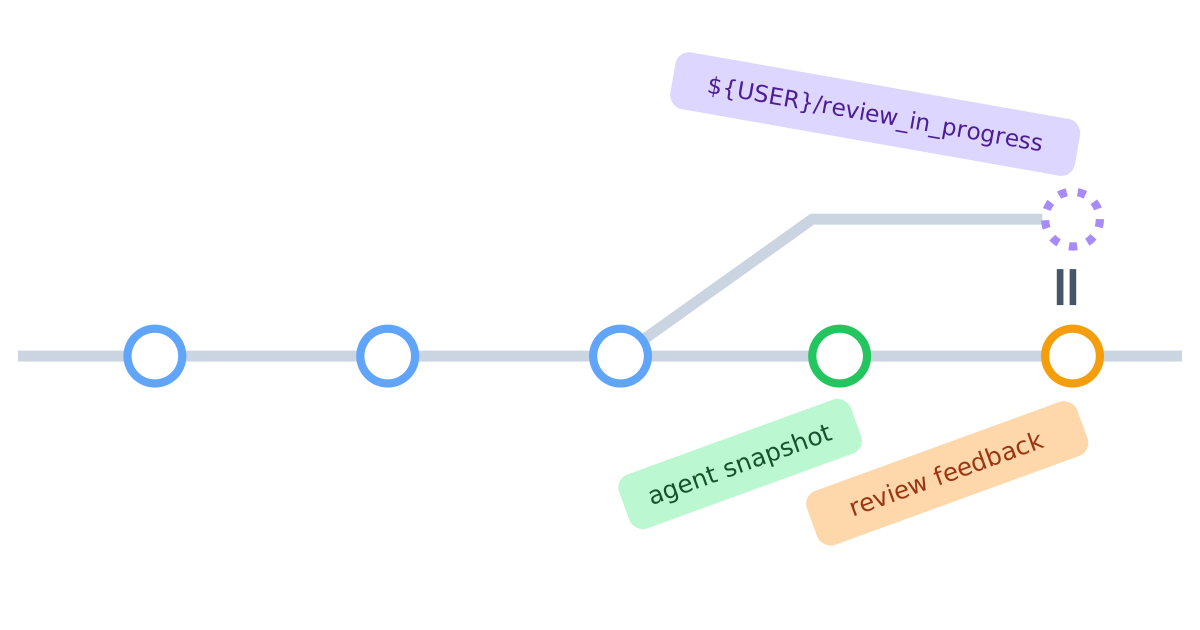
The resulting history is roughly:
A ── B ── C ── D  (my-feature)
          └────── (${USER}/review_in_progress), working tree contains changes from D
Here D is the snapshot commit. The review branch points at C, but your working tree still contains the diff from D, so you can review it naturally in your IDE (Ctrl+Shift+G in VS Code). While reviewing, I often:
- edit code directly,
- leave inline temporary comments like
TDC: factor this out into a helper, - ask questions like
TDC: why did you do X here?
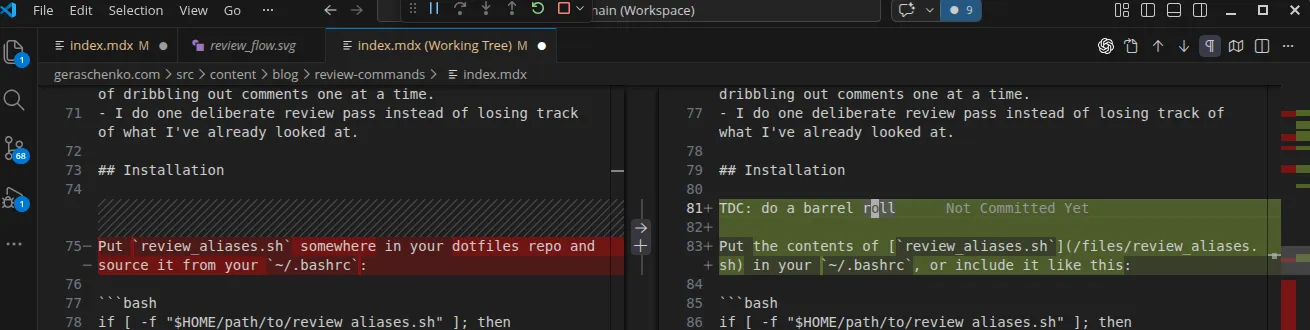
When I’m done, I run review_done. That switches back to the original branch, deletes the temporary review branch, and creates a new commit containing only my edits:
A ── B ── C ── D [agent snapshot] ── E [review feedback] (my-feature)Why I like this
It turns “please address my review comments” into a concrete Git object.
- My requests are right next to the code I was looking at when I made the request.
- The agent can see what I already changed, so it is less likely to revert my manual fixes.
- It is token-efficient: I can supply the review commit in a single conversational turn instead of dribbling out comments one at a time.
- I don’t lose track of what I’ve already looked at, and the code doesn’t change under my feet while I’m reviewing it.
Installation
Put the contents of review_functions.sh in your ~/.bashrc, or include it like this:
if [ -f "/path/to/review_functions.sh" ]; then
  . "/path/to/review_functions.sh"
fi
Then reload your shell:
source ~/.bashrcCaveats
A few important details:
- The current version uses
git commit -am ..., so it handles tracked modified/deleted files but not new untracked files. If the agent created new files,git addthem first. - Only one review session can be active per repo.
review_doneexpects you to still be on the review branch.